

Your expertise. Your business. One operating system.
Run your advisory business from first prospect to client outcome. Assess, plan and deliver in one connected system, with your own compatible AI.
Launch through the Academy, or bring your existing practice into one operating system.
- 25 operators validated pre-launch
- +22% avg price lift surfaced
- $48K EBITDA found in one live study
- Find
- Assess
- Advise
- Deliver
- Manage
Choose your next step
Start a practice. Or strengthen the one you have.
Turn your experience into an advisory business.
Bring your experience. Build your method through the Academy, earn the program certificate and put your practice to work in the Advisory OS.
Explore the launch pathwayBring your advisory business into one OS.
Connect prospecting, client assessments, valuations, delivery and practice management. Use your own compatible AI to work across supported tools.
Explore the Advisory OSYour AI + your operating system
Your own AI. Connected to the work that matters.
Exec Leverage connects your compatible personal AI to your advisory workflow through MCP, the Model Context Protocol. Ask about a client, retrieve saved information or run a supported tool from the assistant you choose.
See how your AI connectsExample requests
“Pull the latest valuation and agreed actions for this client.”
“Help me configure my white label advisory account.”
Inside the owner workspace
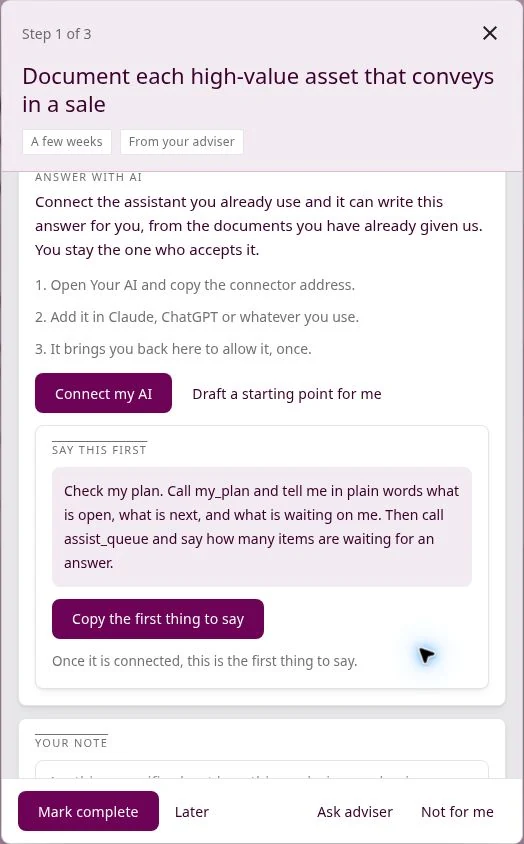
Run your practice
Work with your compatible AI on white label account setup, account checks and client information through supported MCP tools.
Move client work forward
Let owners bring their own compatible AI into the work: review assigned tasks and carry out supported actions with human review.
Learn it. Use it. Deliver it.
The Academy teaches practical AI deployment. Apply that approach in your own advisory business using the OS you deliver client work through.
One engagement. Both sides of the work.
You set the priorities.
Your client knows what to do next.
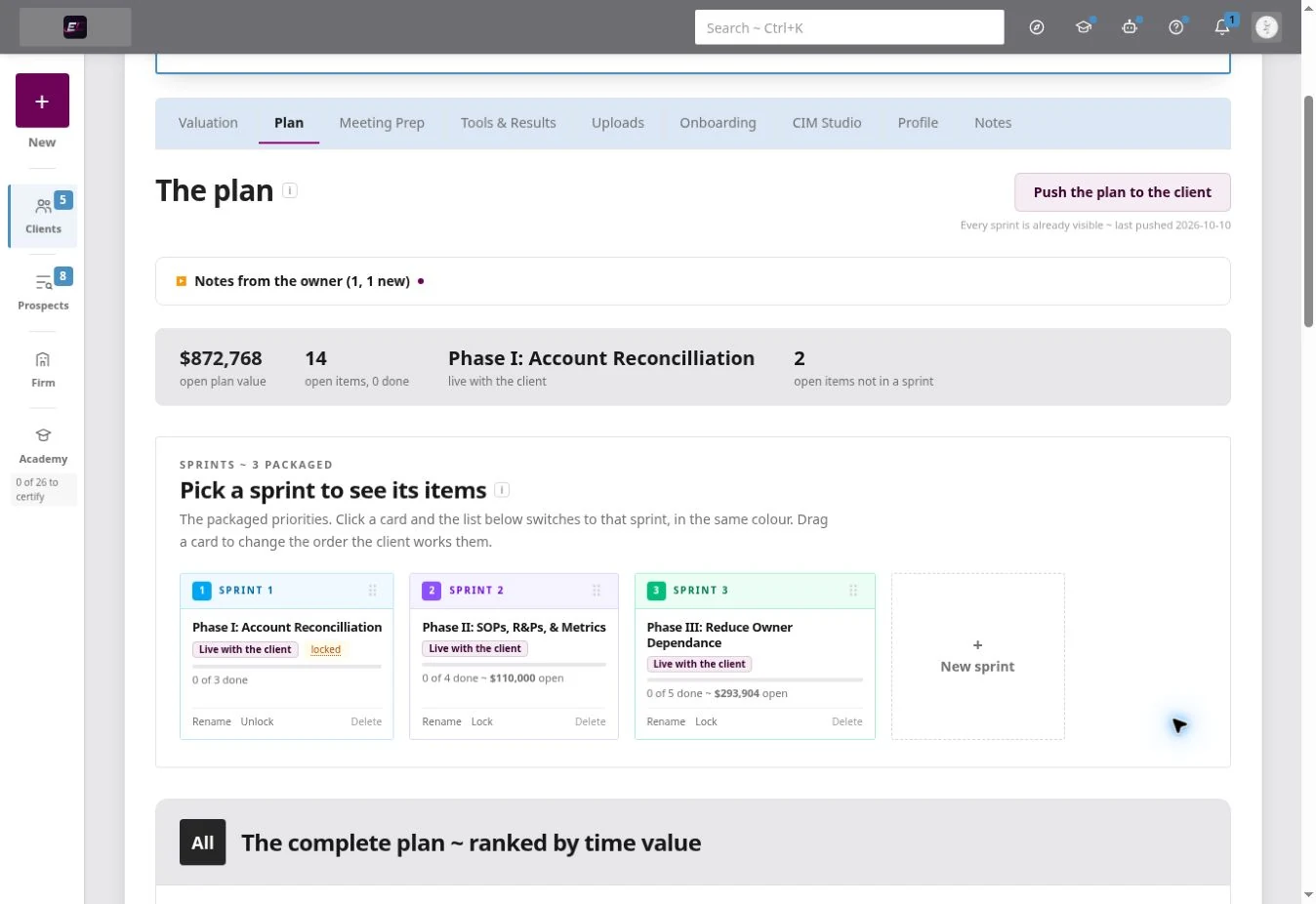
The advisor’s workspace
Package the work into sprints, prioritise actions and prepare for the next client conversation.
The owner’s workspace
A clear next step, a practical task list and progress against the plan, with personal AI help inside supported tasks.
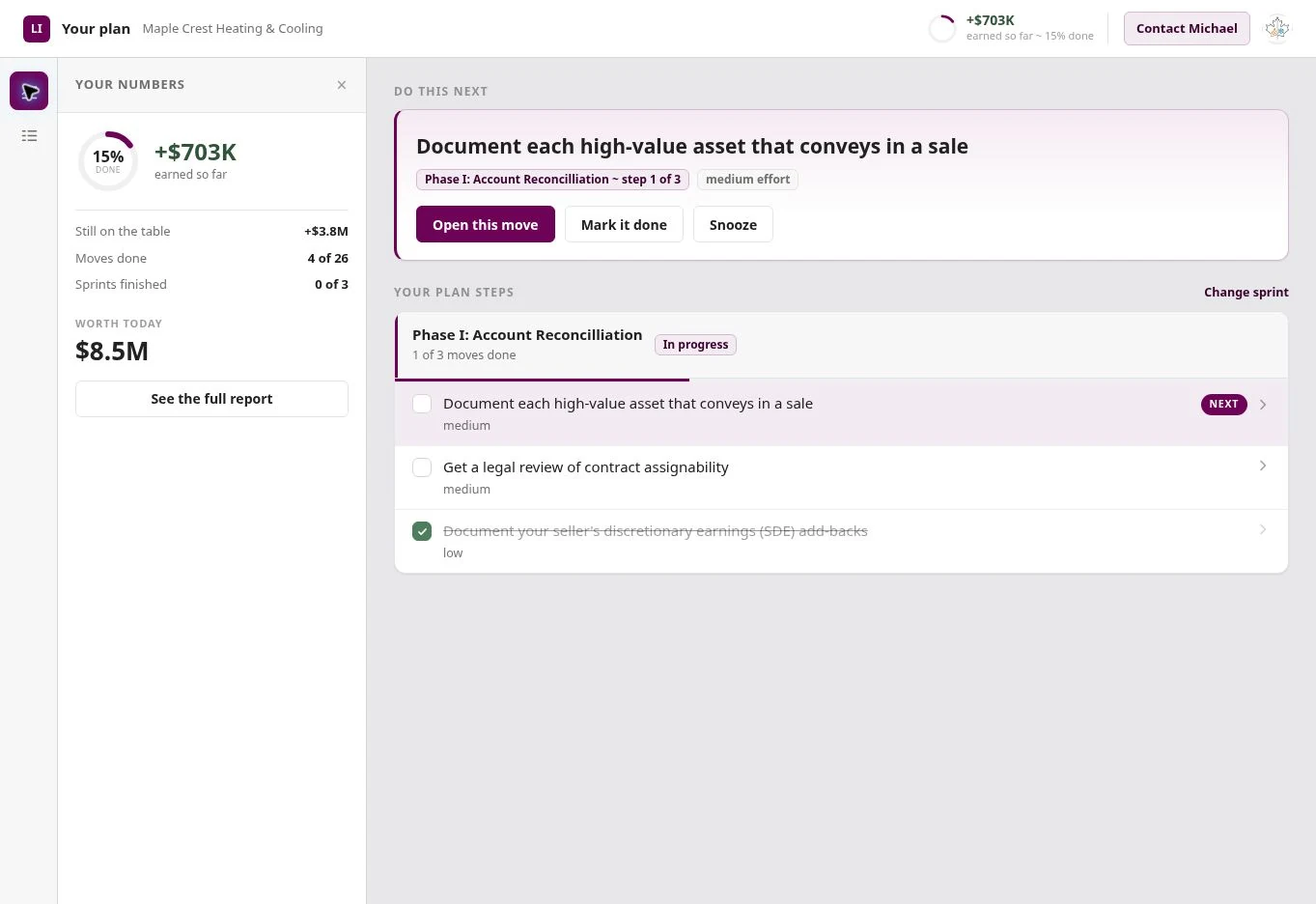
Screens shown from the demo account. Figures illustrate the interface.
A growing opportunity: help businesses put AI to work.
Small and mid-sized businesses want the efficiency gains AI can offer, but many need help identifying the right use cases and turning them into practical changes. The AI Deployment module helps advisors build a service around that need.
Explore AI Deployment trainingWhere the work can take you
- M&A and deal preparationOrganise financial information, assess value and prepare stronger transaction materials.
- Ongoing business coachingTurn recommendations into a prioritised plan and track progress between reviews.
- Brokerage and exit planningHelp owners understand business value, readiness and the work that may improve both.
The work is fragmented. Your client delivery doesn't have to be.
Finding qualified prospects takes time away from serving clients.
Use local opportunity research and a branded valuation entry point to create more relevant conversations.
Every engagement starts from a different spreadsheet, process or template.
Use a repeatable assessment workflow, with the reasoning and source information available for review.
Collecting current financial information slows down the first assessment.
Use a guided client intake and supported accounting connection to bring information into one workspace.
A report is delivered, but the improvement work is hard to sustain.
Turn findings into an owner-facing plan, track actions and revisit the business as new information becomes available.
Valuations, research, plans and client communication live in separate tools.
Keep client information, assessments and improvement work together in the Advisory OS.
The firm's approach is difficult to transfer across advisors.
Give the team shared workflows, templates and a consistent client record.
Source it.
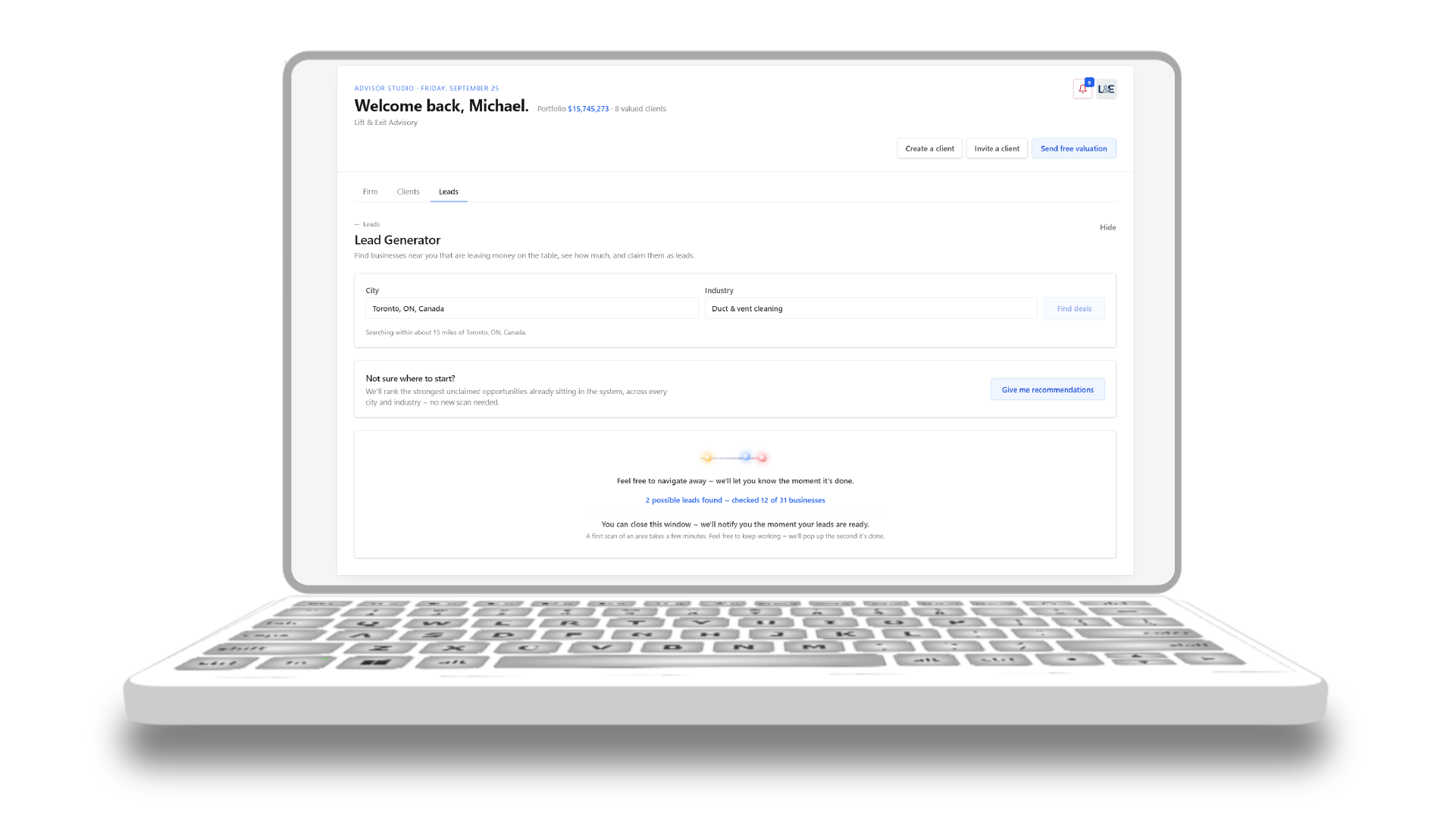
Choose an industry and service area. Research helps identify local businesses and potential opportunities involving pricing, unmet demand and referrals. Review the findings before deciding which prospects to approach.
Value it.
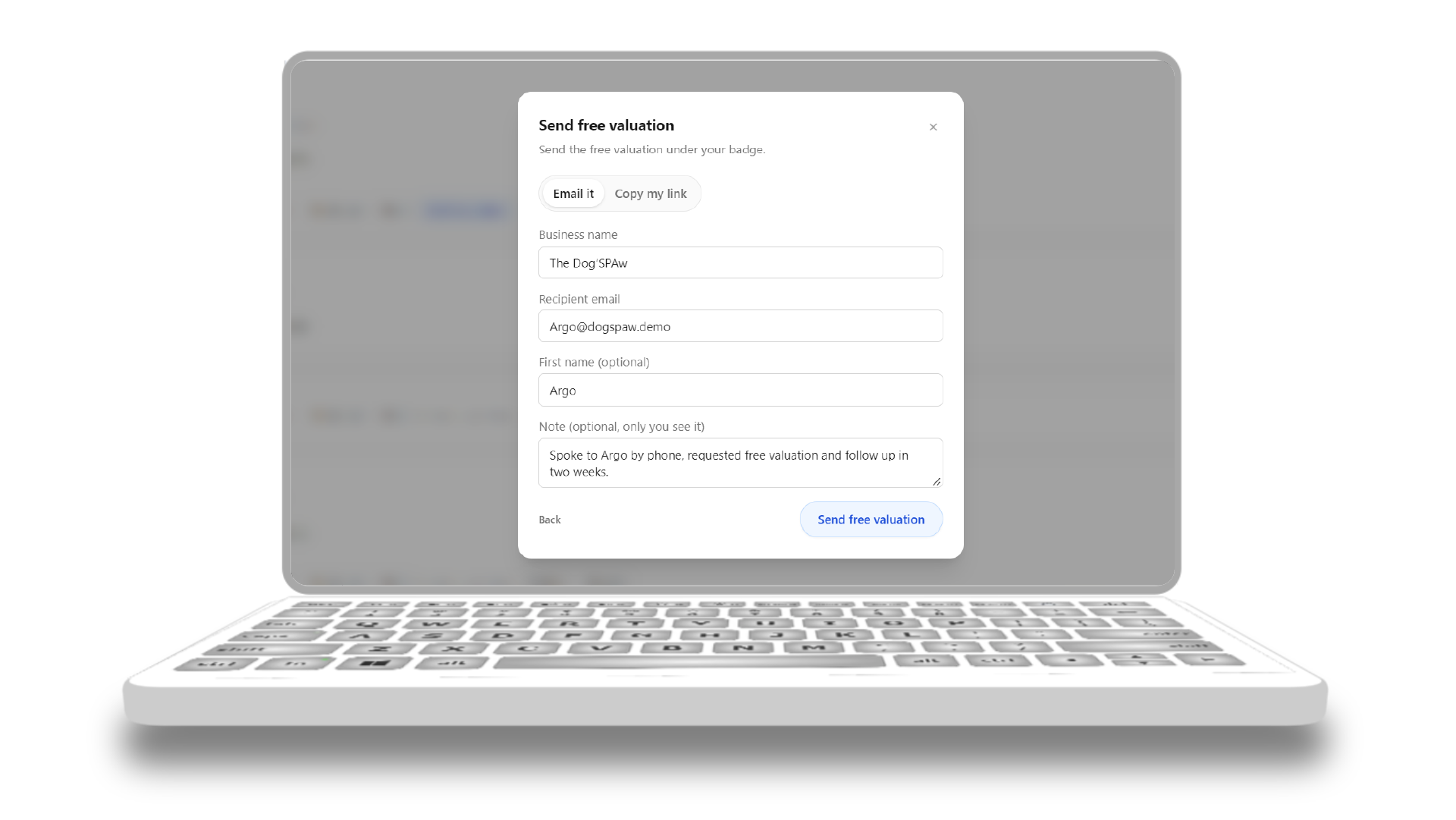
Share a branded valuation link with a prospective client. The owner can provide basic information to receive an initial estimate and decide whether to explore a fuller assessment with you.
Bring them in.
Invite the client to complete the onboarding steps, including the NDA and supported QuickBooks connection where applicable. The information they provide can then be used in the Advisory OS, reducing manual collection and re-entry.
Sent by your firm
Maple Crest Heating & Cooling
Sign the NDA
SignedMutual NDA, e-signed on the spot
Connect QuickBooks
ConnectedP&L, balance sheet, and 24 months of statements pulled
Confirm the books
Confirmed“Reconciled and current to the best of my knowledge”
Lift it.
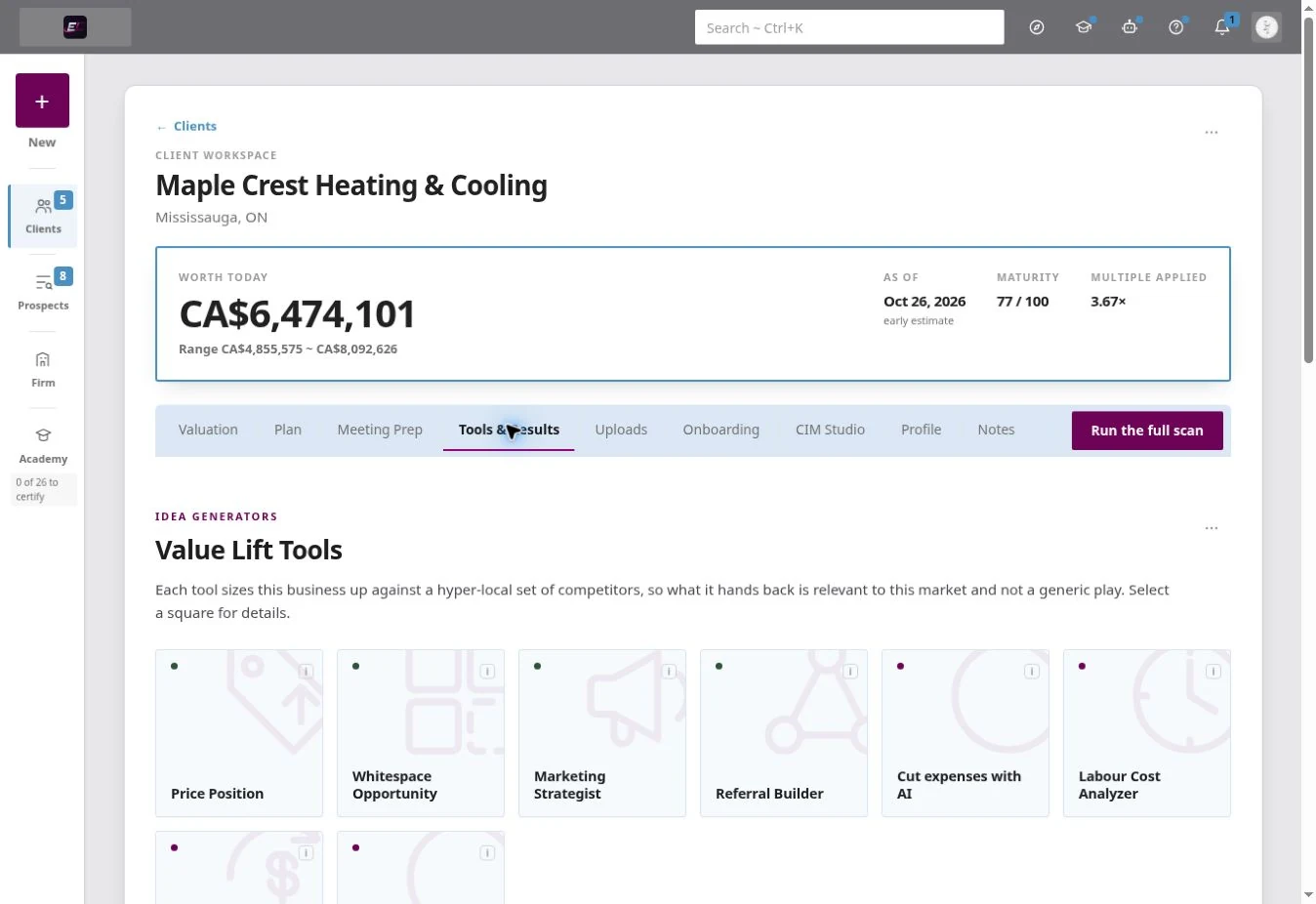
Use the assessment tools to explore pricing, market opportunities, referrals, labour, cash flow and business risk. Review the findings, prioritise the relevant actions and build a plan with the owner.
Measure it together.
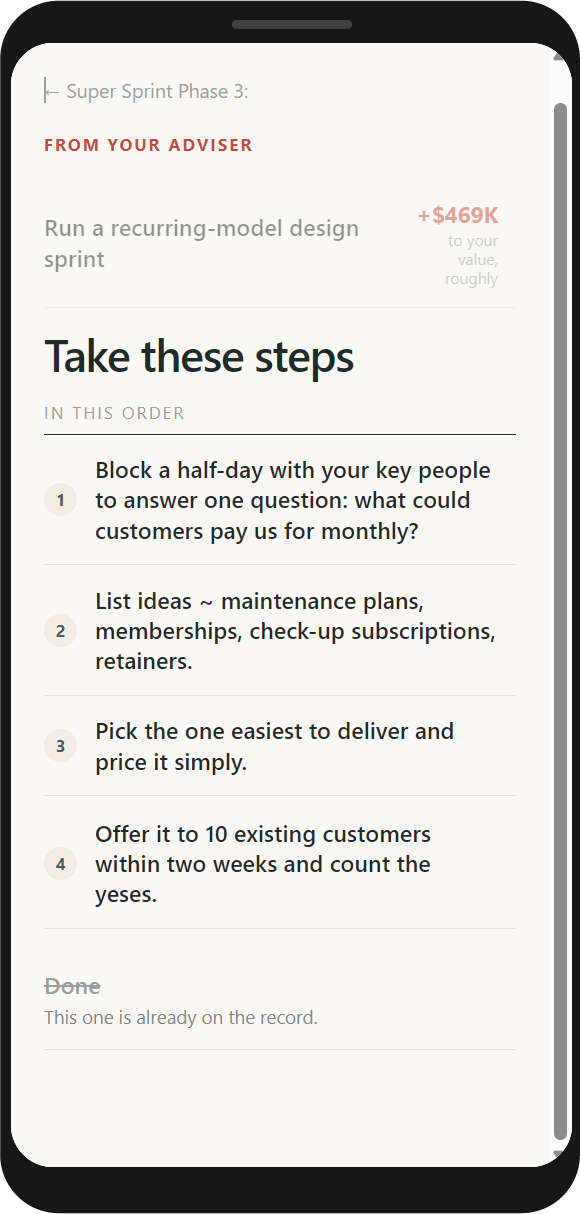
Turn recommendations into agreed actions, assign responsibility and review progress with the owner. Where updated information is available, reassess the business to understand what has changed.
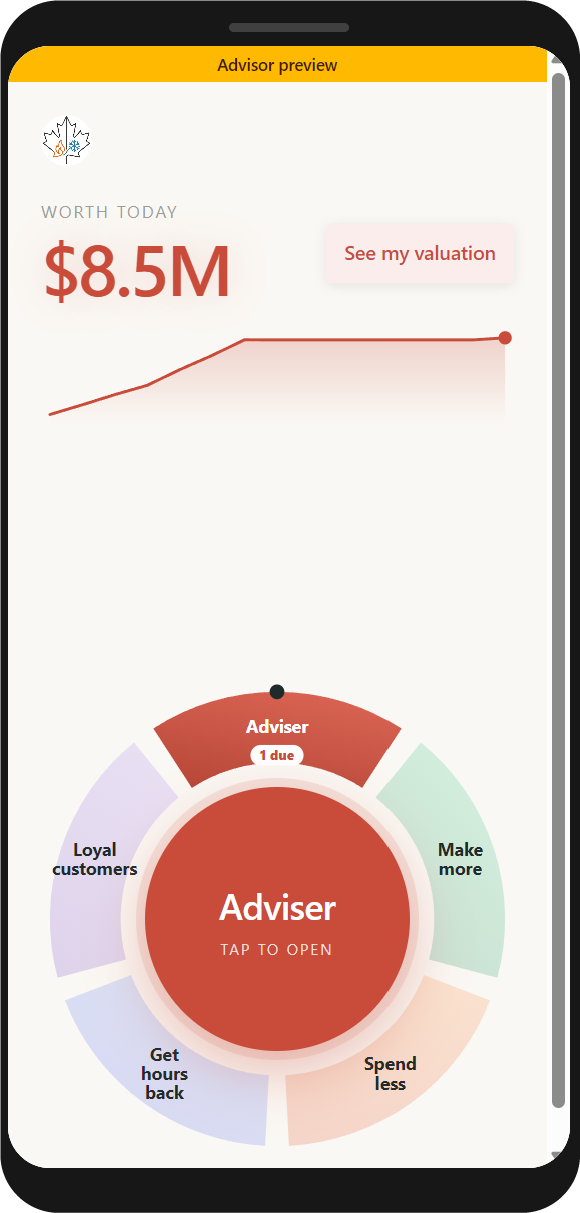
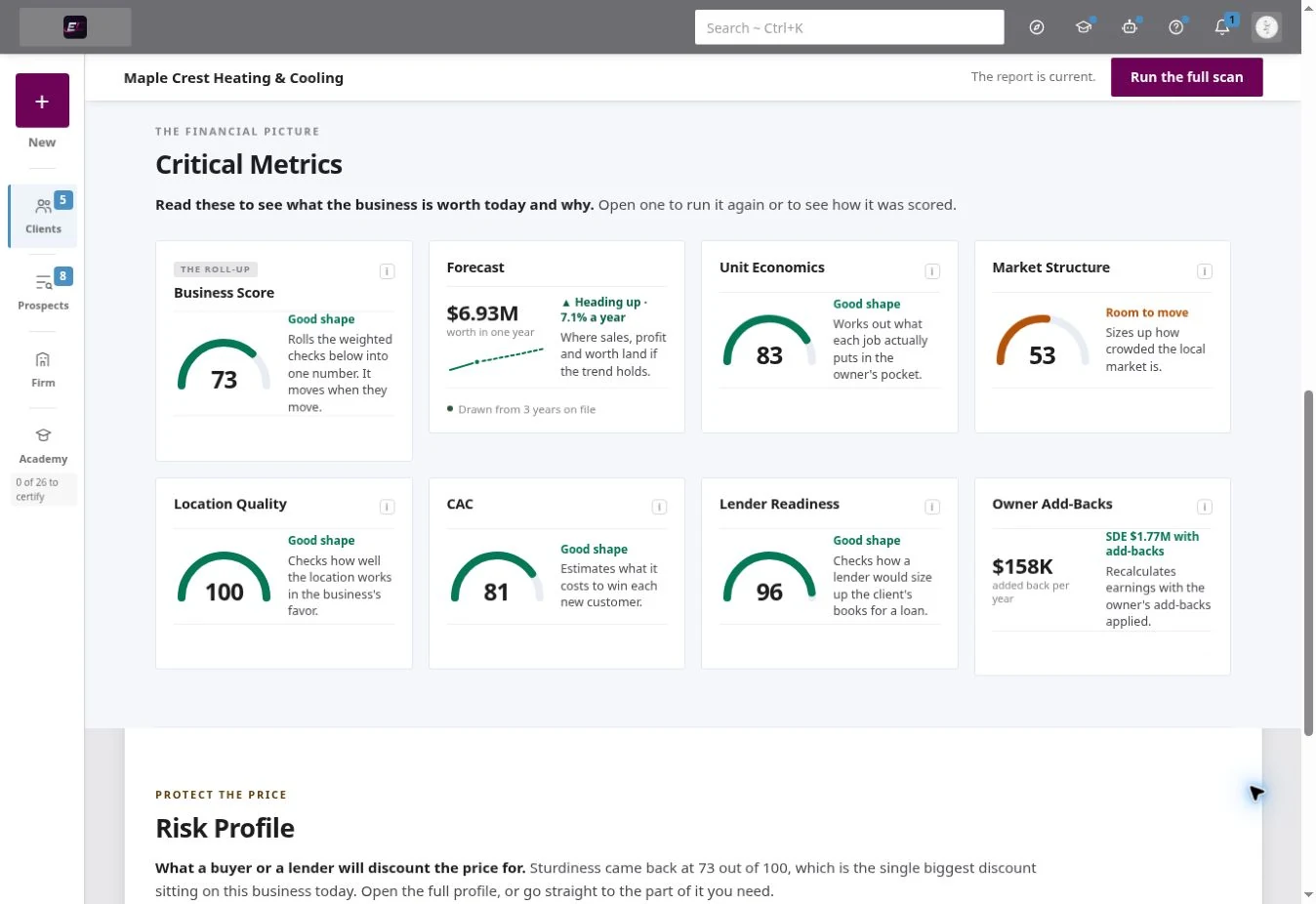
Show the thinking behind the number.
See the financial inputs, assumptions and valuation factors behind an estimate. Review the supporting information with the client and explain where professional judgement or additional verification is required.
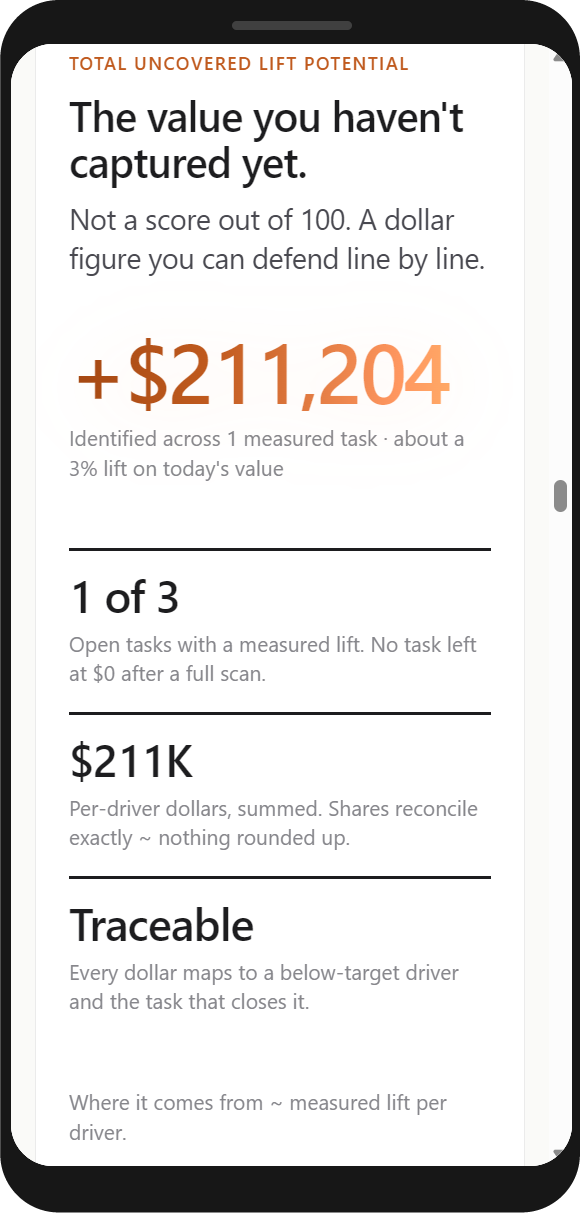
Tools for the questions business owners actually bring.
Bring financial, operational and market questions into one client workflow, then turn relevant findings into practical next steps.
- Local Market Scan
- Price Position+22%
- Whitespace Opportunity117 found
- Referral Builder
- Marketing Strategist
- Labour Analyzer
- Cashflow & Rewards21+ days of float
- Risk Profile30 checks
- Business Valuation
- Growth Plan
- Unit Economics
- Market Structure
- Business Score
- Client Acquisition Cost
- Location Quality
Not just a valuation ~ an operating system for value improvement
A valuation is one part of the engagement. The Advisory OS also includes tools to examine the business, identify potential improvement areas and support the work that follows.
The tools bring research and analysis together. The advisor reviews the findings, applies judgement and works with the owner to decide what to do next.
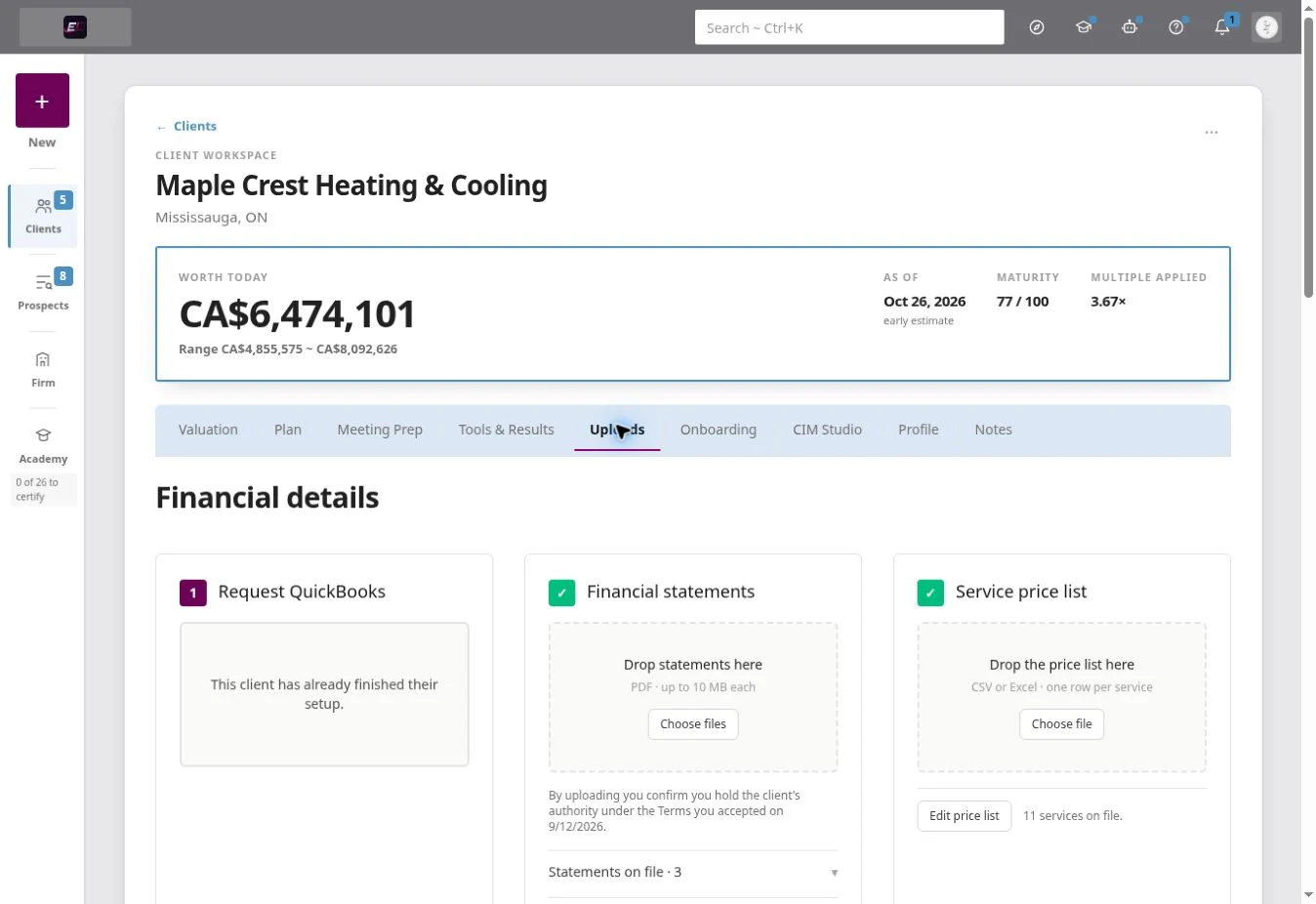
Running a team?
One roster, one methodology, and a ramp system that gets new advisors billable in weeks.
A valuation is a starting point. The improvement work is what follows.
Comparison reflects each product’s publicly described capabilities as of 2026. A tilde marks a partial or milestone-only capability. BizEquity and Value Builder are trademarks of their respective owners, used here for identification only.
See how the advisory model works. Then see the OS in action.
Explore the launch pathway or book a walkthrough of a business assessment in the Advisory OS.
Flexible subscription terms ~ see current terms before starting
- Exclusive leads, each one locked to you
- Client app for every client on your seat
- All 15 tools, unlimited re-runs
- One-link client onboarding
Questions before you start
Where do my clients come from?
The Advisory OS includes local business research and a branded valuation link that can help create relevant conversations. You still choose whom to contact, build the relationship and earn the engagement.
What do I actually hand my client?
The OS brings together an estimated valuation, supporting information and an improvement plan. You review the findings with the owner and agree on what to act on.
How is this different from a valuation estimate or a score?
The OS makes the inputs and assumptions available for review. An estimate is not a certified appraisal, and lender or buyer reliance depends on the purpose, evidence and any independent professional review required.
Do my clients have to use the client app?
No. The client workspace is an additional way to share actions and progress. You can use the Advisory OS to prepare and manage your work without requiring every client to use the app.
How does onboarding a client work?
The client completes the available onboarding steps, which may include signing an NDA and connecting supported accounting software. You review the information for completeness and suitability before relying on it.
Will the numbers hold up with a lender or a buyer?
The report shows the information and assumptions used to produce the estimate. It is designed to make the analysis easier to inspect, not to replace independent verification or a formal valuation engagement.
Own a business rather than advise one? Explore the self-directed tools for business owners.
Where the work can take you
- M&A and deal preparationOrganise financial information, assess value and prepare stronger transaction materials.
- Ongoing business coachingTurn recommendations into a prioritised plan and track progress between reviews.
- Brokerage and exit planningHelp owners understand business value, readiness and the work that may improve both.
Build your practice around work you know how to do.
Explore the launch pathway or see a real business assessment in the Advisory OS.
Talk to a person
Questions before you start? Call us.
How a scan runs on your own city and industry, whether this fits the practice you already have. Or send it in writing instead.